Hebrew.
Inside your player.
Track titles right to left, on every screen.
And Hebrew search, right on the player.
XDJ-RX3 · XDJ-XZ · XDJ-AZ
Beta. Tested on the player's firmware in an emulator.
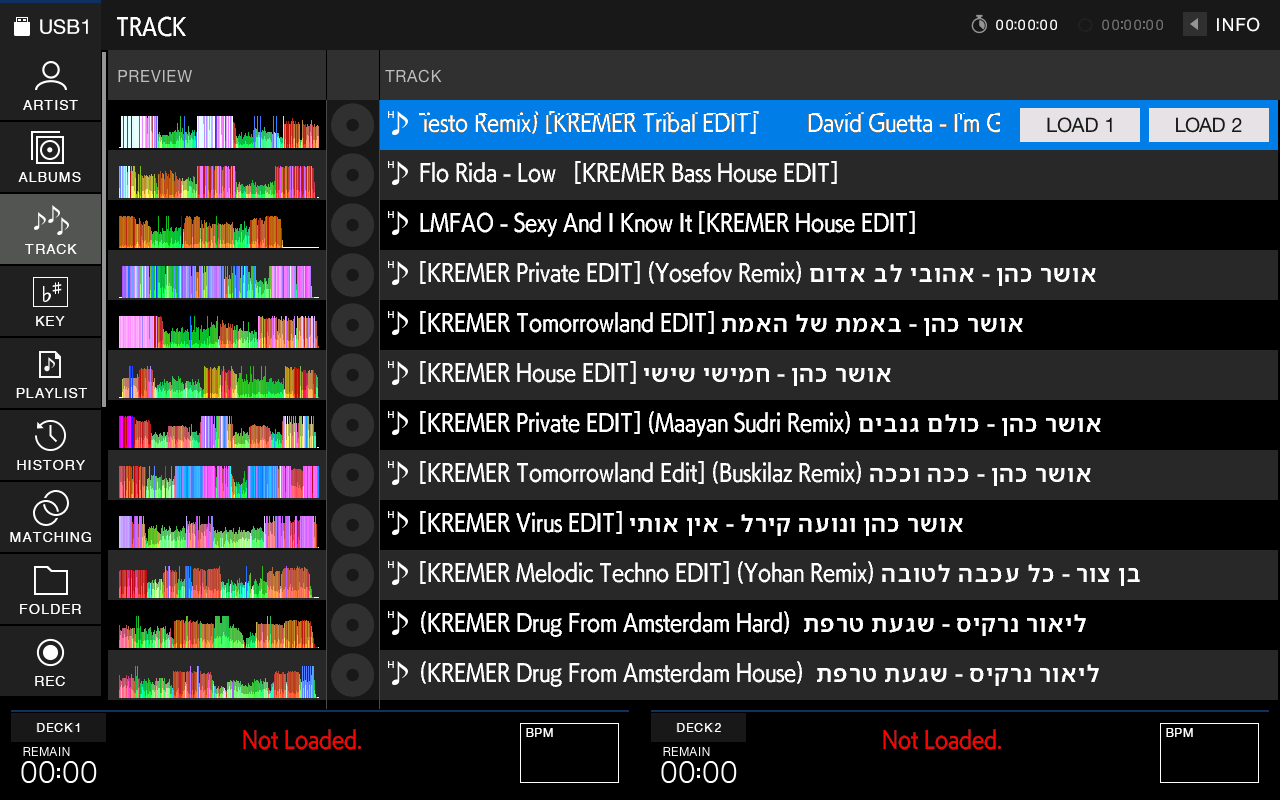
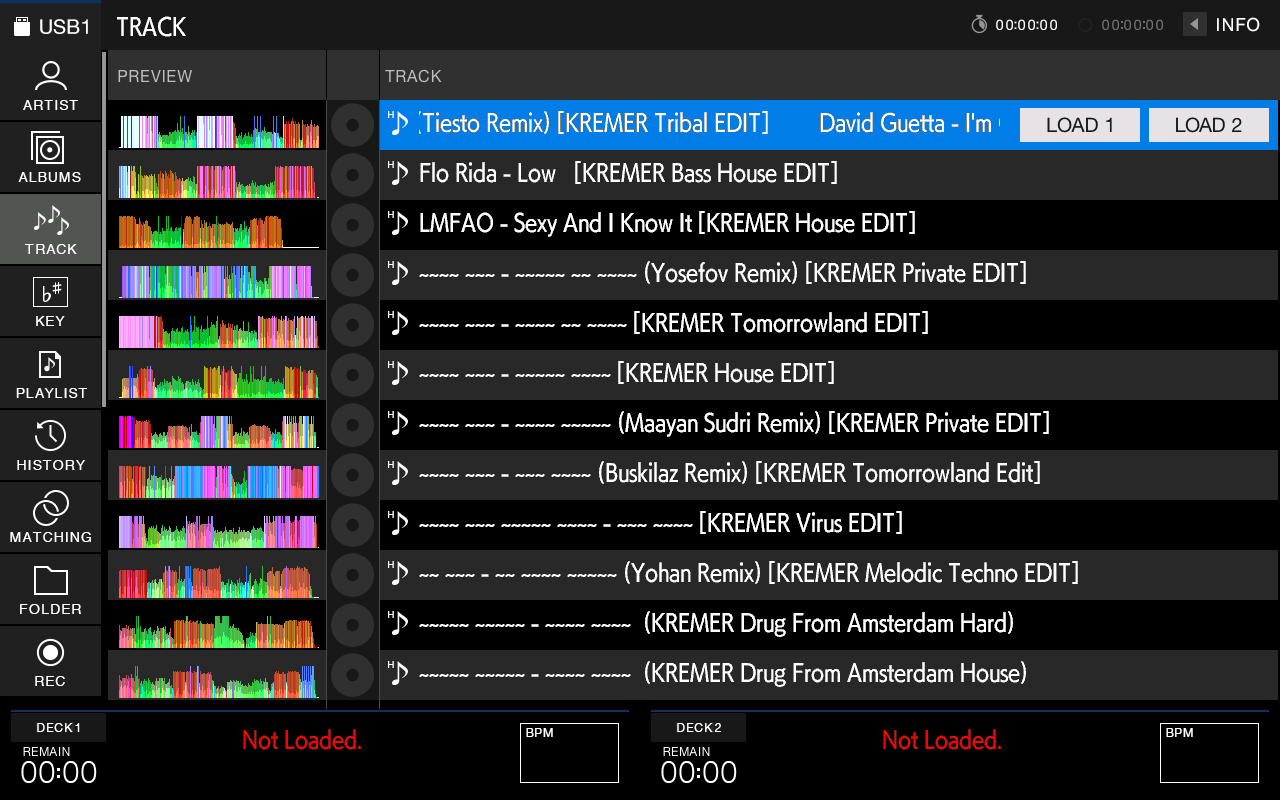
One key.
A Hebrew keyboard.
Tap the globe and the keyboard switches to Hebrew, in the layout you know from your computer. Type עומר and the player finds it.
On the decks, too.
The track that is playing, in Hebrew, on both decks. And in INFO and search results.
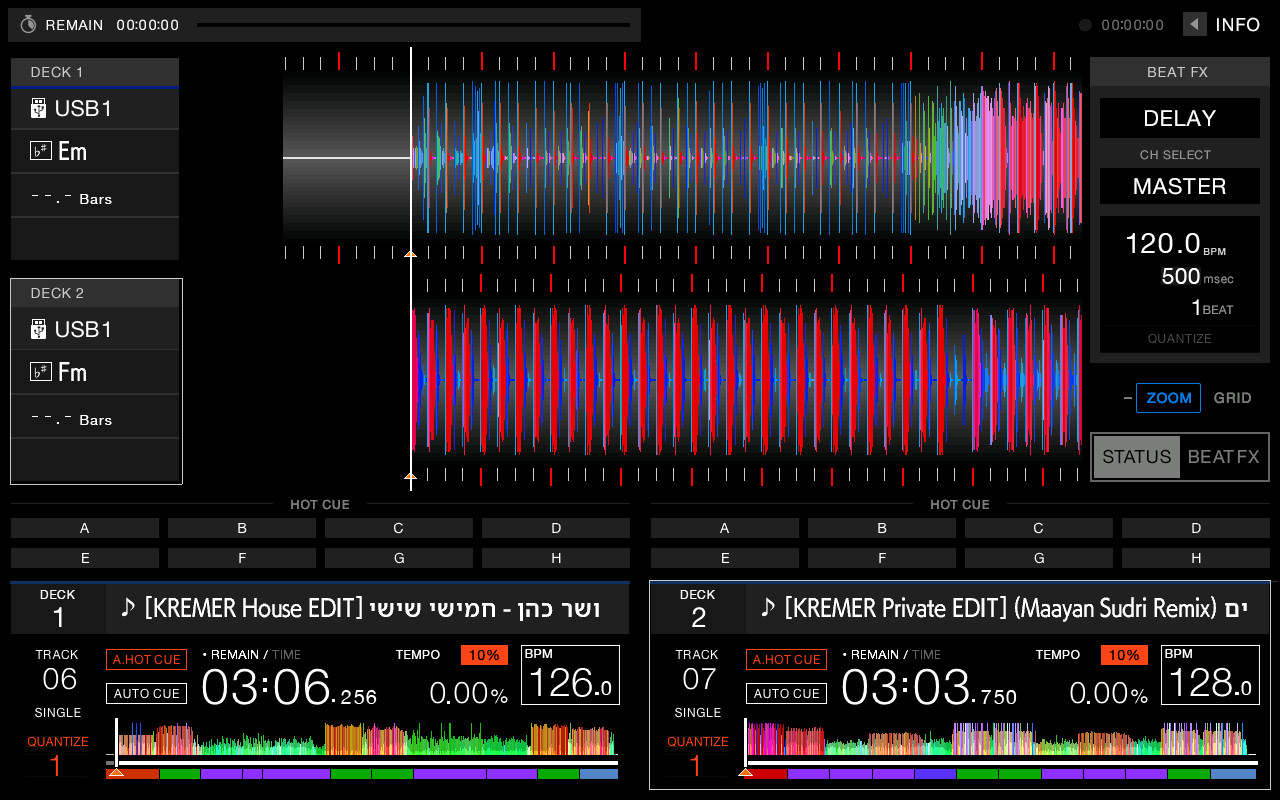
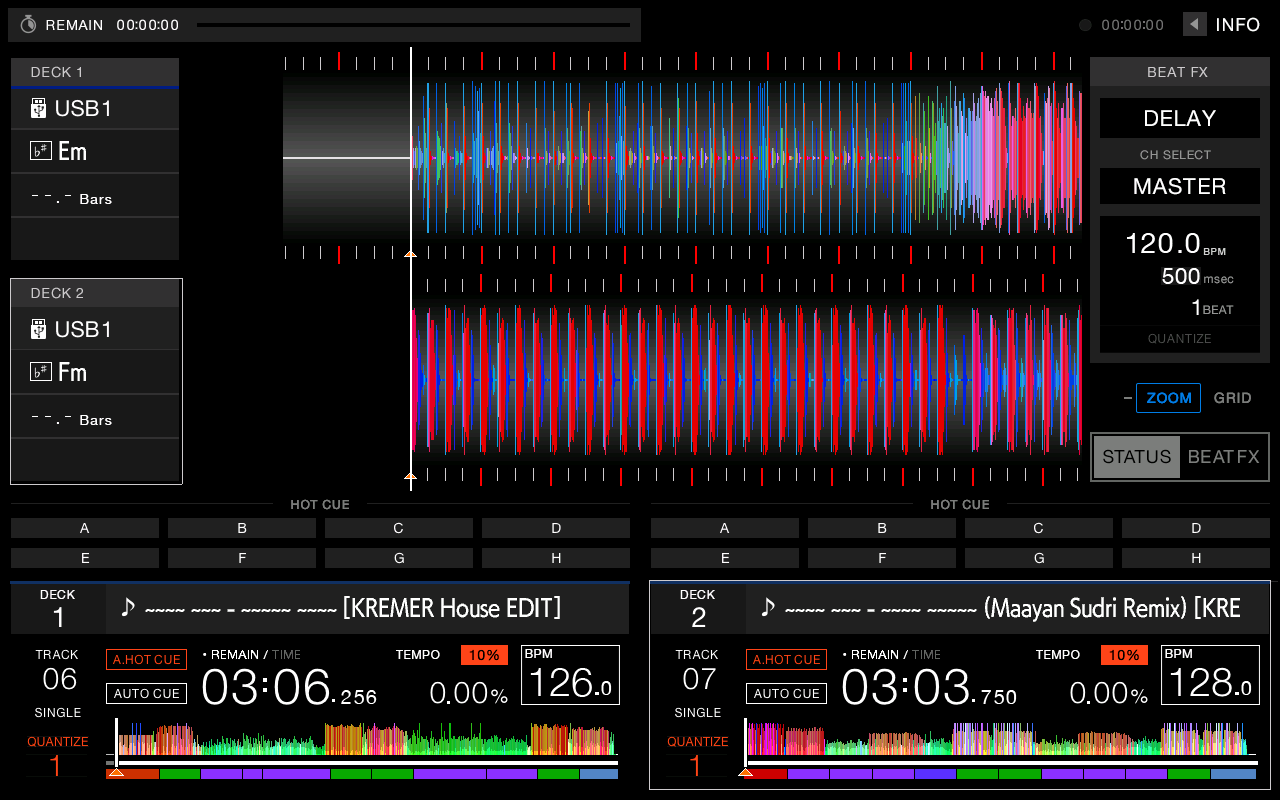
Even when it moves.
A long selected title scrolls across the screen. In the right direction.
Long titles
A title too wide for its row keeps its beginning. The cut falls at the end.


Garbled tags
A Hebrew tag saved in the wrong encoding is Hebrew again.


Nothing is flashed.
The mod loads from the USB drive when the player starts and runs from memory. Remove the drive and the player is exactly what it was.
Built for your player.
Every licence is locked to one player's serial number. On any other player it does nothing.
-
Find the serial number
Every player has a unique serial number. Prepare a USB drive with the free Serial Finder, plug it into the player once, and the number waits in a file on the drive.
-
Order
Pick your player model, paste the serial number into the form, and pay. The files for your player arrive by email.
-
Prepare the drive
Copy the files to your USB drive and plug it into the player. That is it.
Buy.
₪ — one payment
- A licence for one player
- Files built for your serial number
- Future firmware updates included
Voucher redeemed
Your order is in.
We are building the files for your player now. When they are ready, they wait for you at this personal link.
Keep this link. Anyone who has it can download your files.
Questions.
Which players are supported?
XDJ-RX3, XDJ-XZ and XDJ-AZ. Each player gets files built exactly for its model and serial number.
Does it change anything on the player?
No. Nothing is flashed. The mod loads from the USB drive when the player starts and runs from memory only. Power off, remove the drive, power on, and the player is completely stock.
Has it been tested on a real player?
This is a beta. Everything on this page was captured from the player's real firmware, running in an emulator. Testing on physical players is ongoing, so try it at home before a gig.
Why do you need my serial number?
Each licence is built for one player. When the player starts, the mod checks its serial number; on another player it installs nothing. The copy does not store the serial itself, only a fingerprint (hash) of it.
What is the difference between the players?
All three get Hebrew titles right to left and a Hebrew search keyboard. The files you receive are built for your model and firmware. For the XDJ-AZ you get a tool that prepares the USB drive; for the RX3 and XZ you get the files directly.
I formatted or replaced the drive.
Prepare it again from the files you received. For the XDJ-AZ, run the preparation tool again. Your licence stays yours.
Is there a Windows version?
Not yet. The tools run on Macs with Apple silicon for now.
I replaced my player.
Your licence is tied to the old player. Write to us with both serial numbers and we will sort it out.